Key Takeaways
- How long does it take to make an animated video? It depends on length, style, and how quickly feedback comes back, not just on the animation itself
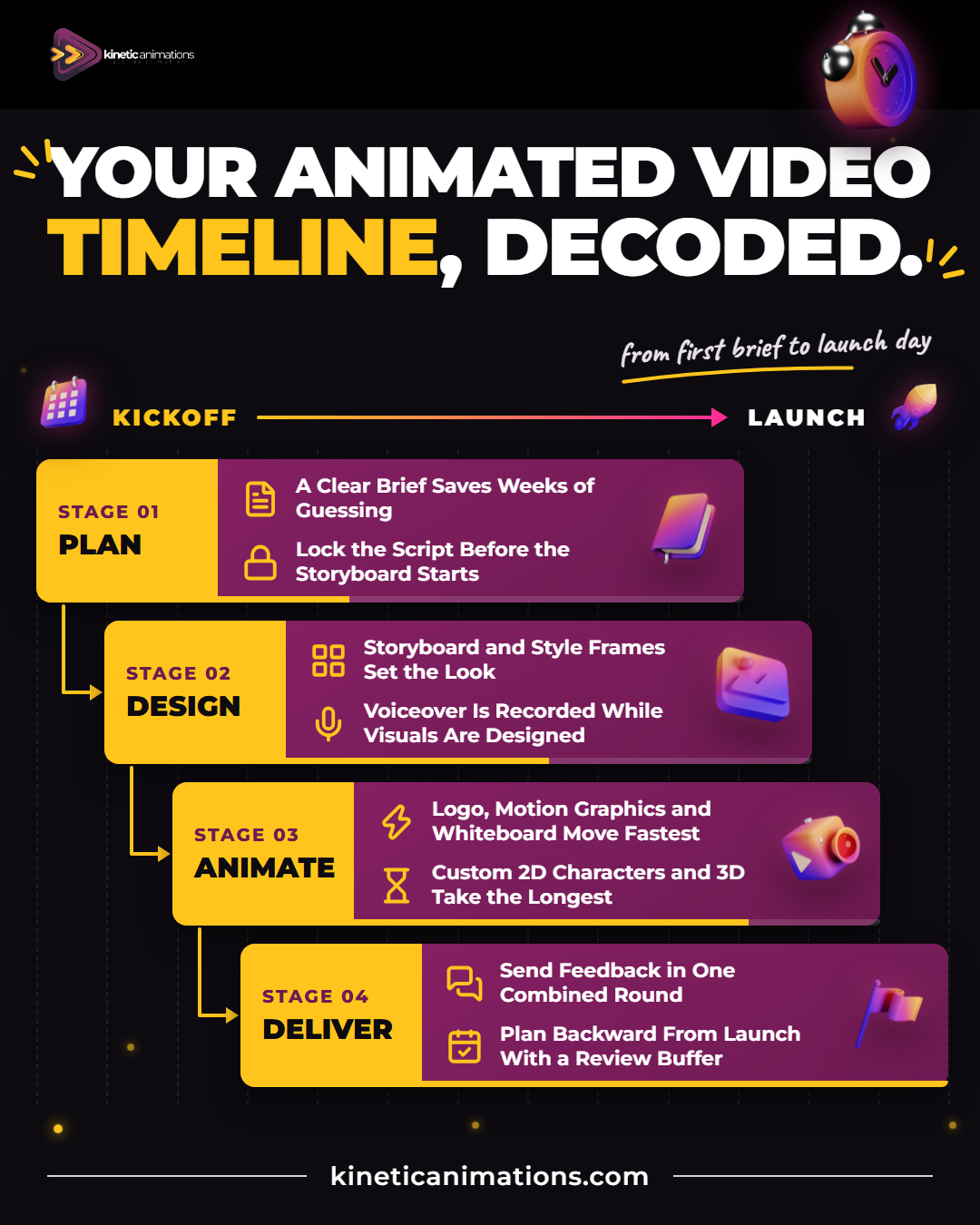
- The brief, script, and storyboard decide how smooth the rest of the animated video production timeline will be
- 2D, whiteboard, motion graphics, and logo animation usually move faster than 3D, which needs modeling, texturing, and rendering
- Late script changes cause frequent delays, because every later stage is built on the approved script
- Planning backward from your launch date, with a buffer for reviews, protects seasonal campaigns, product launches, and trade shows
- A good studio quote comes with a stage-by-stage schedule and clear review dates
You have a launch date on the calendar. Maybe it is a product release in January, a trade show in the spring, or a year-end campaign that has to go live before the holidays. Then the big question hits: how long does it take to make an animated video, and can it be ready in time?
The honest answer is that it depends. A short logo animation and a two-minute 3D product film are very different projects. What you really need is to understand the stages and which decisions on your side make the schedule shorter or longer.
This guide walks through the full animated video production timeline the way a professional animation studio plans it, so you know what to expect, what to prepare, and how to plan backward from your launch date.
So, How Long Does It Take to Make an Animated Video?
For most business videos, the timeline is measured in weeks, not days. A short 2D explainer or motion graphics piece with a clear brief and quick feedback usually lands at the shorter end. Longer videos, custom characters, and complex scenes push it further. For 3D work, our 3D animation page puts it plainly: it can take anywhere from a few weeks to several months, depending on complexity.
Here is the part many buyers do not expect: the animation itself is often not the longest part. Planning, writing, approvals, and revisions take up a big share of the calendar, and those are the stages you can influence the most.
So it helps to look at the animated video production timeline one stage at a time.
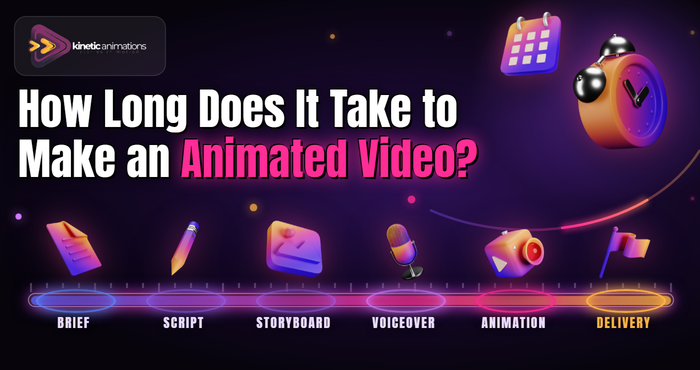
The Animated Video Production Timeline, Stage by Stage
1. Discovery and Creative Brief
Every project starts with a conversation about your goals, audience, message, and where the video will live: your homepage, a paid ad, or a trade show booth. A clear brief can be wrapped up in a few days. A vague one can drag on for weeks, because every later stage has to guess at what you want.
2. Scriptwriting
The script is the backbone of the video: a short voiceover script plus notes on what appears on screen. Expect at least one round of edits. Get every stakeholder involved here, including sales, legal, and leadership, because changing the script later means redoing work built on it.
3. Storyboard and Style Frames
Next, the script becomes a storyboard, a scene-by-scene plan of what the viewer will see. Style frames show the final look, including colors, characters, and typography. You approve the visual direction here, before animation starts. Videos with many scenes or custom characters take longer to plan.
4. Voiceover and Music
Once the script is locked, a professional voice actor records the narration. This usually happens while the visuals are being designed, so it often runs alongside the storyboard. Several languages or voices add time for each version.
5. Animation
This is where the storyboard comes to life. Animators build the movement scene by scene and time it to the voiceover. If you are curious about what happens inside this step, our post on the 2D animation creation process goes deeper. The length of this stage depends on the video’s duration, the number of scenes, and the style you chose.
6. Sound Design, Revisions, and Delivery
Sound effects and music are mixed in, you review the full video, and the team makes your changes. Then the final files are exported in the formats you need, such as widescreen for your website and vertical for social media. Asking for extra versions at the start is faster than adding them at the end.
How Animation Style Changes the Timeline
The style you choose has a real effect on how long production takes. Here is how the main options compare:
- Logo animation is usually the quickest project, since it is short and built around assets you already have.
- Motion graphics move fast when they use your existing brand elements, icons, and type, with no characters to design.
- Whiteboard animation follows a simple visual style, which keeps design time down. Longer scripts mean more drawing, though.
- 2D animation with custom characters adds character design and more detailed movement, so it takes longer than motion graphics.
- 3D animation adds modeling, texturing, lighting, and rendering. It is the most time-intensive option, especially for detailed product or medical visuals.
If you are still choosing, our guide on the best animation style for an explainer video can help you weigh the look against the schedule.
What Speeds Up or Slows Down Your Video
Two projects with the same length and style can finish weeks apart. The difference usually comes down to a few things on the client side.
Things That Keep a Project Moving
- A clear brief: one goal, one audience, and one main message.
- Ready brand assets: logo files, brand colors, fonts, and product screenshots shared on day one.
- One decision maker: a single point of contact who gathers feedback from the team and sends it in one message.
- Fast reviews: feedback sent within a day or two of each draft.
Things That Cause Delays
- Script changes after the storyboard is approved: this often causes slipped deadlines, because scenes and voiceover have to be redone.
- New reviewers late in the project: a manager who sees the video for the first time at the final stage often asks for big changes.
- Scope creep: adding scenes, extra languages, or new versions halfway through.
- Waiting on approvals: every day a draft sits in an inbox is a day added to the schedule.
How to Plan Backward From Your Launch Date
The smartest way to schedule an animated video is to start with the date it must go live and work backward. This matters most for time-sensitive work, like holiday campaigns, January product launches, investor meetings, and trade shows.
Start with your launch date. Set aside time for uploading, building the landing page, and setting up ads. Before that, leave a buffer for one unplanned round of revisions. Then ask your studio for a stage-by-stage schedule that ends before that buffer. If the dates do not fit, you will know while there is still time to simplify the video or move the launch.
For year-end planning, start early. Many teams want videos ready for the same holiday and new-year windows, and an early start leaves more room for reviews.
Can an Animated Video Be Made Faster?
Yes, but speed comes with a trade-off. If your deadline is tight, these options can shorten the schedule without hurting the message:
- Make it shorter. A focused 30 to 60 second video is faster to produce than a two-minute one, and it is often more effective on social media anyway.
- Choose a simpler style. Motion graphics or whiteboard animation can be faster than custom character 2D or 3D work.
- Reuse what you have. Existing brand illustrations, product renders, or an approved script save whole stages.
- Combine review rounds. Gather all feedback in one place and send it once, instead of in small pieces.
Avoid skipping the storyboard to save time. It feels faster, but it usually leads to bigger changes later, when they cost the most time.
Get a Clear Timeline From Kinetic Animations
At Kinetic Animations, we plan every project around your deadline from the first call. We help you shape the brief, write the script, and lock the storyboard before animation starts, so revisions stay small. Whether you need an animated explainer video, a logo reveal, motion graphics, whiteboard, 2D, or 3D animation, you get a stage-by-stage plan with clear dates for each review.
Tell us what you need and when. We will tell you honestly whether the date works, and what would make it work if it is tight.
Conclusion
So, how long does it take to make an animated video? It depends on the length, the style, and the speed of decisions on both sides. A clear brief, a locked script, and quick reviews are what keep a project on schedule.
If you have a launch date coming up, the best next step is to get a real timeline instead of a guess. What date does your video need to go live? Share it with Kinetic Animations and request a quote, and we will map out a production plan that gets you there.